 AXIVELA Analytics
 AXIVELA · Business analytics
Understand performance.
Publish the answer.
Bring dashboards, operational reports, and AI-assisted explanations into one analytical workspace. Explore the numbers with shared business definitions and controlled access.
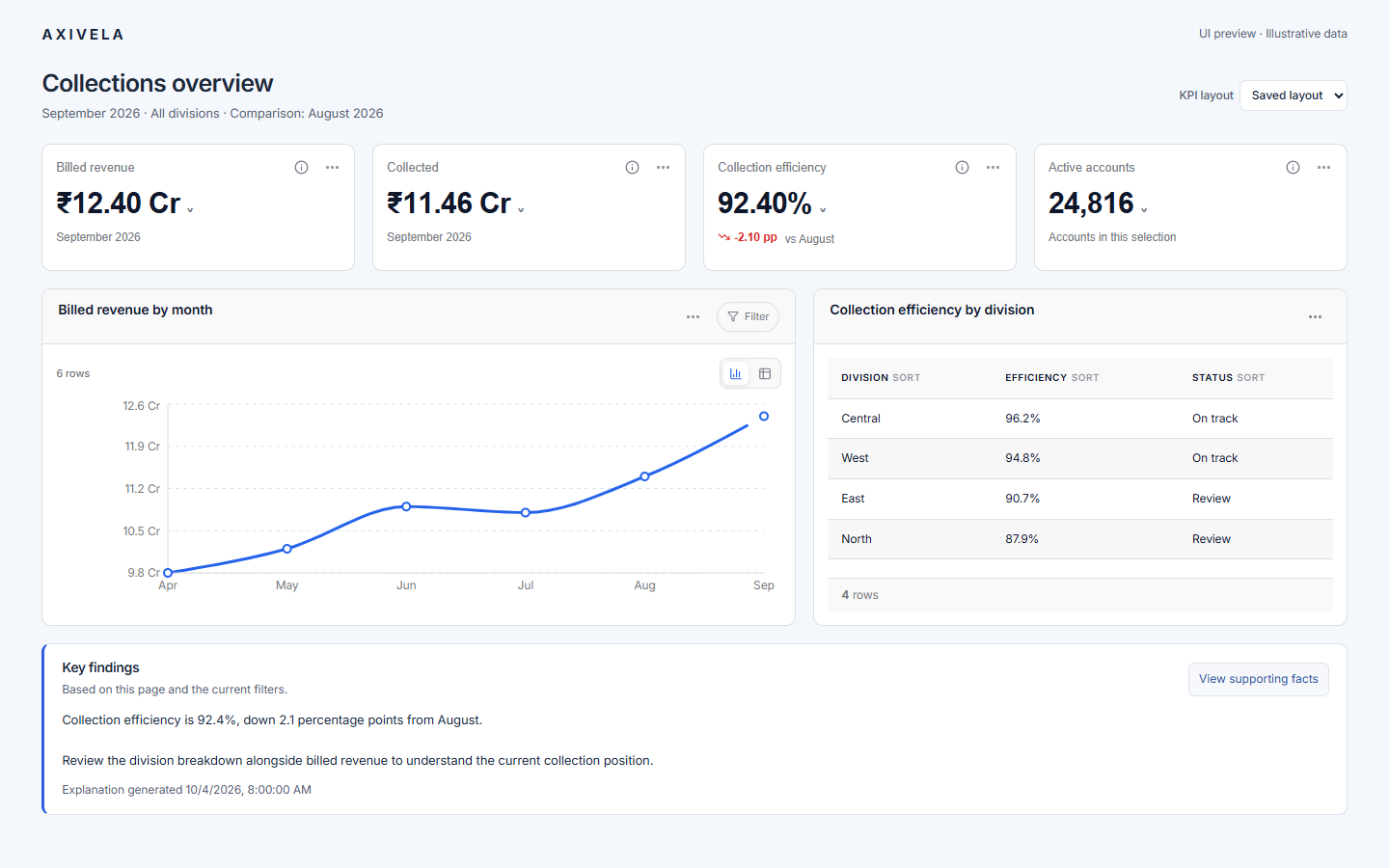
Start with a business question
Find the number. Understand the context.
Monitor
How are we performing?
Bring the most relevant KPIs together with their period, comparison, and supporting charts.
Investigate
Where should we look closer?
Explore a division, category, or time period using configured filters and drill-down paths.
Explain
What do these results tell us?
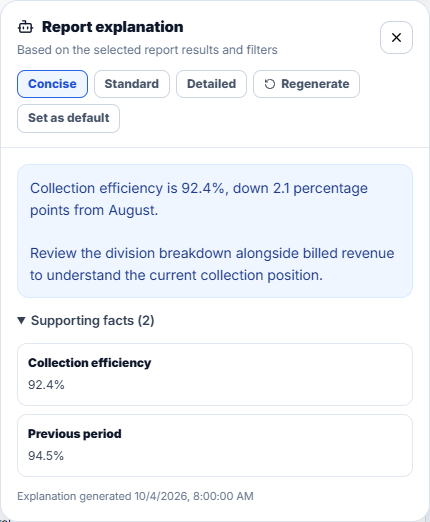
Read a plain-language explanation, then inspect the facts used to produce it.
From a metric to its meaning
Keep the explanation close to the report.
A number needs context. AXIVELA brings report explanations and supporting facts into the same workflow as your dashboard.
One workflow
Review. Explore. Explain. Publish.
Build an analytical experience around the decisions your team makes.
- 01
Review
Scan the headline metrics and their comparison periods.
- 02
Explore
Use filters, charts, and tables to inspect the current selection.
- 03
Explain
Request an explanation and review its supporting facts.
- 04
Publish
Deliver a report that authorized users can revisit and explore.
The foundation behind the view
Shared meaning across your analytics.
Define measures, dimensions, and access rules in a reusable analytical model. Keep architecture details available to the people who need them.
Evaluate the deployment that fits your team.
Discuss your data sources, access requirements, operating environment, and AI configuration before choosing an evaluation setup.
Before you begin
A clearer path to evaluation.
Can I see the product before requesting a download?
Yes. Explore the product tour and interface previews. Contact us for a walkthrough of your reporting use case.
Are the numbers shown here customer results?
No. The previews use illustrative data to demonstrate the interface. They are not customer outcomes or performance benchmarks.
What happens after I request an evaluation?
We review your use case and environment, confirm the relevant requirements, and provide suitable evaluation instructions.
How is AI used in report explanations?
The report interface presents an explanation alongside supporting facts and available limitations. Discuss the model provider and data handling for your deployment during evaluation.
Bring your reporting question
See how AXIVELA fits your workflow.
Tell us what you need to measure, who needs access, and where your data lives.